How to Recover DBeaver Credentials File: A Step-by-Step Guide
2026-01-31 · 3 min read
Description
DBeaver is a popular database management system which is open source, free and easy to use.
Because it’s so convenient, most of us just check the "Save Password" box and never think about it again.
You might assume those saved credentials are locked away in an unbreakable vault, but the reality is a bit different. Its encryption is actually quite easy to reverse if you know where to look.
How can dbeaver passwords actually be recovered?
Before diving into the recovery process, let’s first understand how and where the credentials are stored.
Step 1: Setting Up a New Connection
It allows you to create new connections for different database types.
- Create a new database connection by clicking the kebab menu or hitting Ctrl + Shift + N.
- Choose a database driver (for example, MariaDB).
- Fill in the Server Host, Database, Username, and Password fields.
- Make sure Save Password is checked.
- Finish the process.
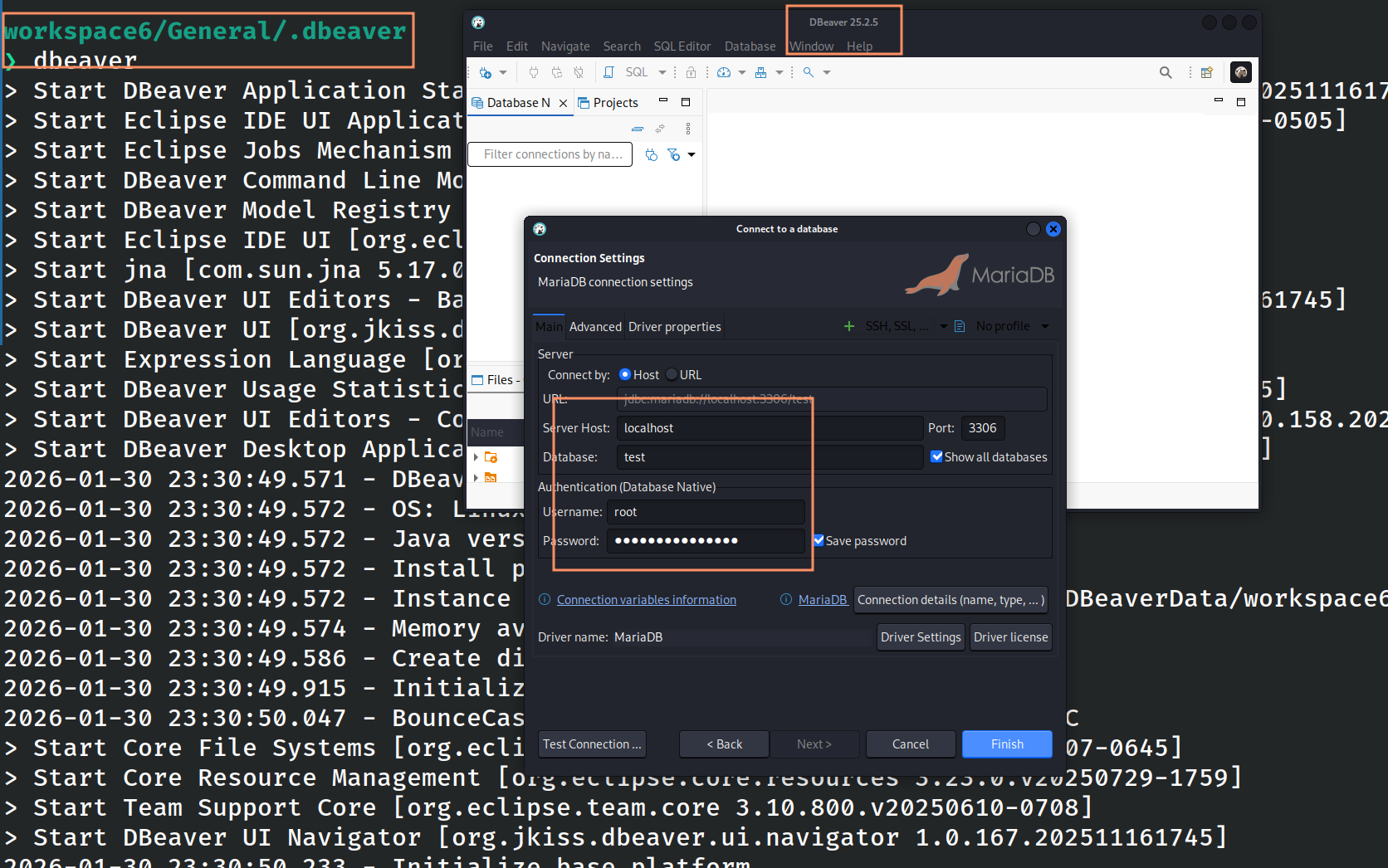
Figure 1: Creating a new database connection
This will create a new database connection.
Step 2: Locating connection credentials
Once the connection is created, it stores the data in the following files:
- credentials-config.json
- data-sources.json
The credentials are stored in encrypted form at the following location (linux):
~/.local/share/DBeaverData/workspace6/General/.dbeaver/credentials-config.json
- For Windows: %APPDATA%\DBeaverData
- For macOS: ~/Library/DBeaverData
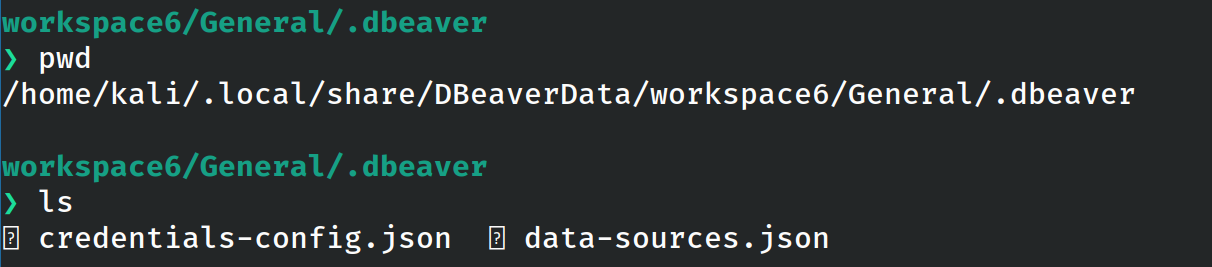
Figure 2: Location of credentials-config.json file
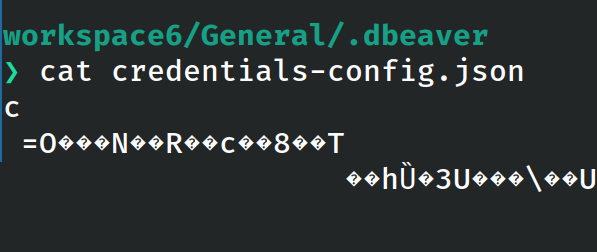
Figure 3: Reading the file
Step 3: How Decryption Works
This tutorial focuses on DBeaver 25.5.2, which uses a fixed key and the AES algorithm to store passwords.
Because the encryption key is known, the contents of the credentials-config.json file can be easily decrypted.
For example, the following command demonstrates how to decrypt a stored password:
openssl aes-128-cbc -d \
-K babb4a9f774ab853c96c2d653dfe544a \
-iv 00000000000000000000000000000000 \
-in credentials-config.json | \
dd bs=1 skip=16 2>/dev/null
This demonstrates how its credential configuration file can be decrypted with very little effort.
While the CLI process is straightforward, it may not always be convenient when working across different systems.
Step 4: Online GUI-Based Decryption Tool
If you prefer a graphical interface, the website Key Decryptor offers a DBeaver password recovery tool. You can either upload the credentials-config.json file or paste its Base64-encoded content, then click Decrypt.
To encode the file in base64 form, you can visit: https://keydecryptor.com/encoding-tools/base64
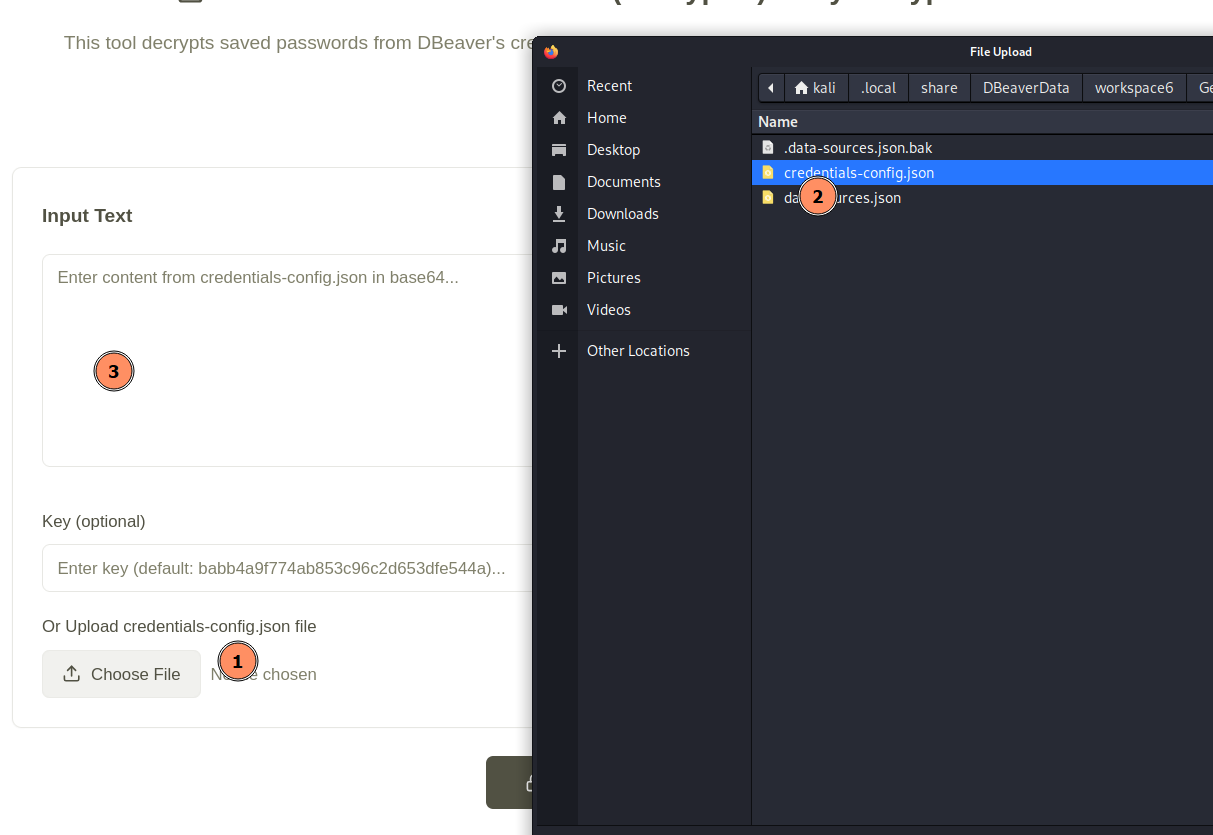
Figure 4: Uploading the file
The file is processed instantly, and the decrypted credentials are displayed automatically.
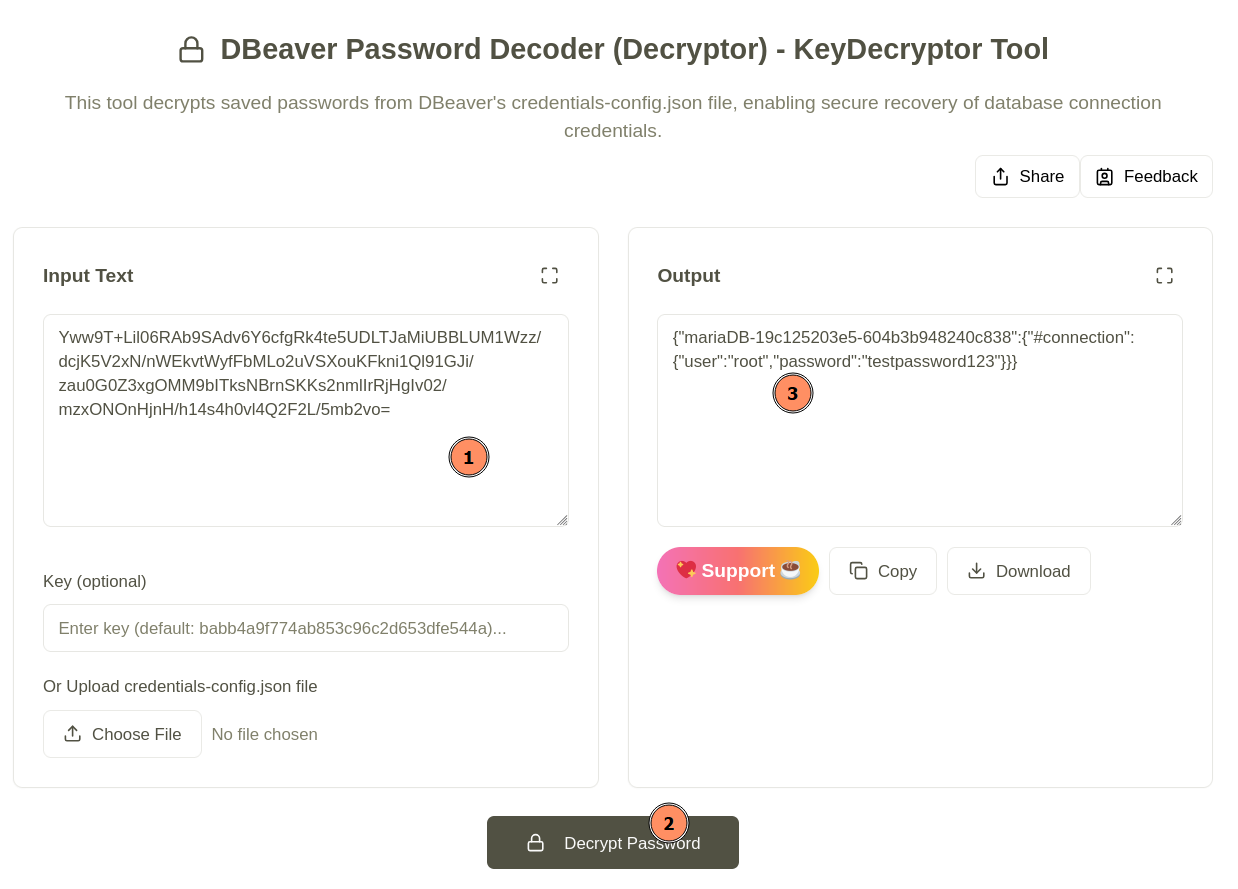
Figure 5: Decoding credentials-config.json file